SIT COBOL — ホーム

Product

Product

SIT COBOL is an interpreter built for learning and practising COBOL. Authoring and execution live in the same place, so you can run what you just wrote, stop it, and look inside as you go.

Three pillars

Runs immediately. Shows you the inside. Builds the real thing.

Runs immediately

From the moment you unzip it. Code you just wrote runs the instant you write it.

No setup
Download, unzip, and start. There is no installation step to work through.
Instant execution
Because it is an interpreter, you can run a program the moment you write it and try out what you have just learned.
Runs even while incomplete
Even with syntax errors it reports the problem and keeps going where it can — an undefined variable is supplied and execution continues.
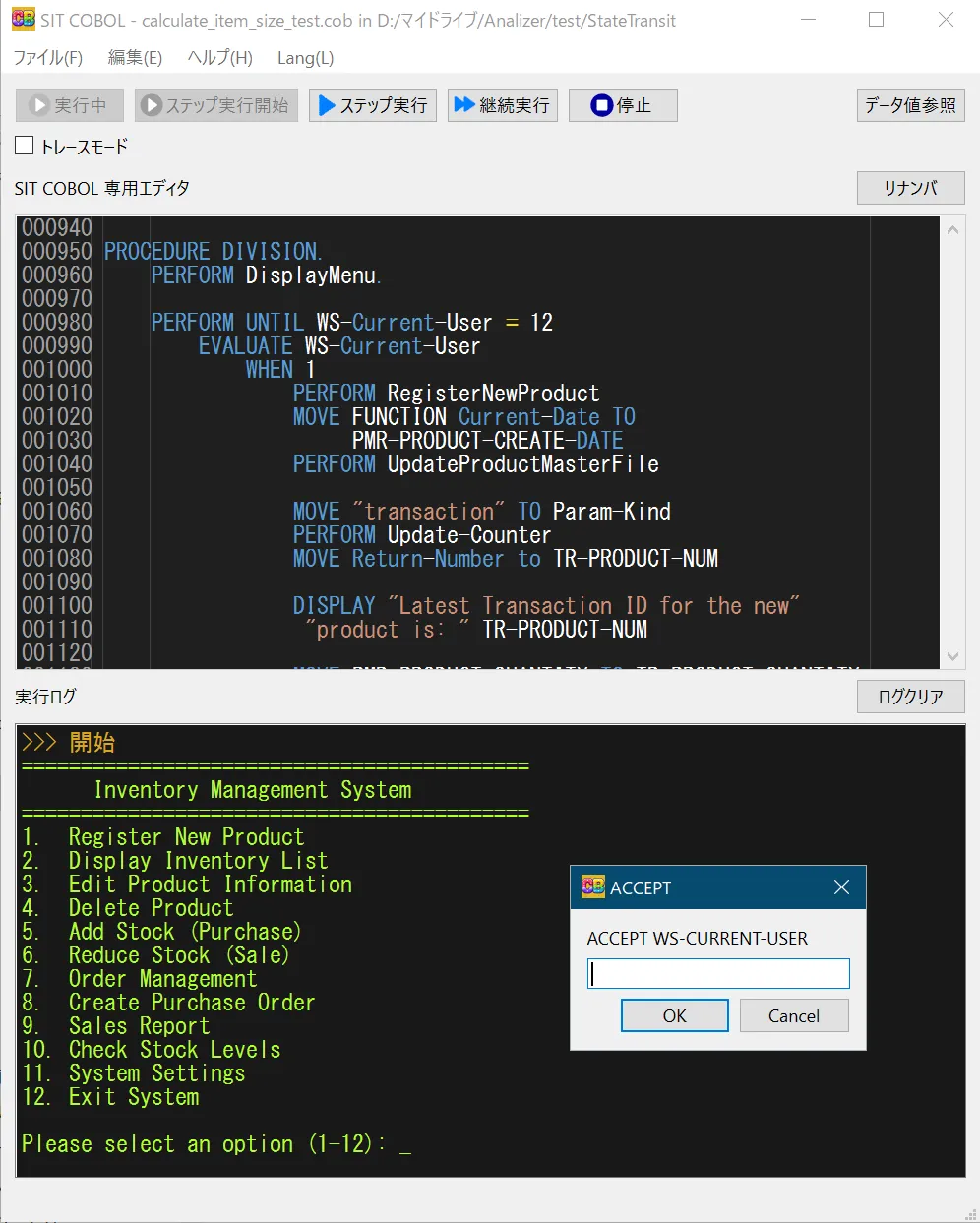
Running an inventory system in SIT COBOL, showing the menu and the ACCEPT input dialog

You can see inside

Pause, look inside, step forward. You can follow with your own eyes what the program is doing.

Step execution
Execute one statement at a time and check the result of each — ideal for understanding behaviour in detail.
Trace what executed
In trace mode you see exactly which lines and statements were passed through, rendered as source lines.
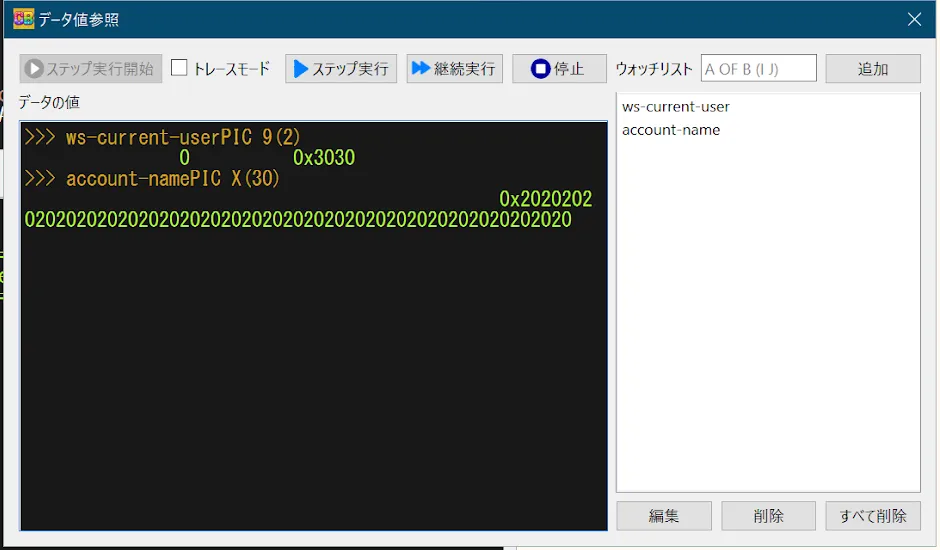
Inspect data values
Check the attributes and values of data while the program runs, making verification and debugging straightforward.

As of June 2025, updating data values is not yet supported.

The data inspection dialog, showing ws-current-user as PIC 9(2) and account-name as PIC X(30) with their values and hexadecimal representations

Build the real thing

Files, databases, and screens — no add-ons required to reach the shape of a real business application.

File I/O
Sequential and line sequential files, plus indexed files in the Pro edition. CSV / TSV interchange is supported too.
Embedded SQL
The Pro edition provides embedded SQL backed by SQLite3, so you can experience building database-driven applications.
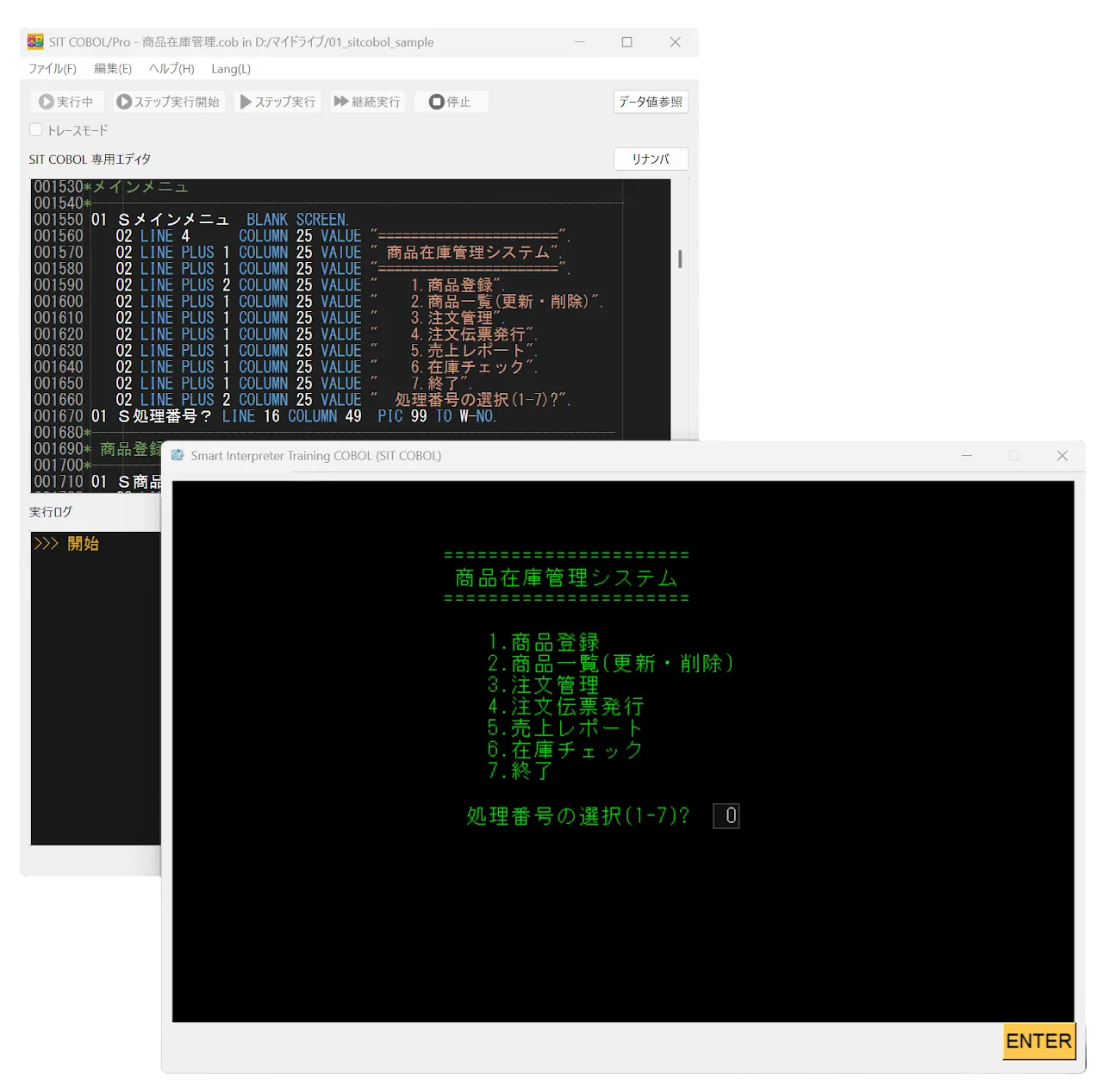
Screen handling
Describe screen items in the SCREEN SECTION and use ACCEPT / DISPLAY to render screens and capture input.
A product inventory management menu screen built with the SCREEN SECTION

Feature list

The full feature list

What each edition can do. Only two things differ: indexed files and embedded SQL.

FeatureStandardFreeProPaid
Language features (within COBOL85)
ArithmeticCOMPUTE / ADD / SUBTRACT / MULTIPLY / DIVIDEAvailableAvailable
Control flowIF / EVALUATE / PERFORM / GO TOAvailableAvailable
Console I/OACCEPT / DISPLAYAvailableAvailable
String handlingSTRING / UNSTRING / INSPECTAvailableAvailable
Table searchSEARCH / SEARCH ALLAvailableAvailable
Inter-program communicationCALL / CANCELAvailableAvailable
Source text manipulationCOPYAvailableAvailable
Sort / MergeSORT / MERGEAvailableAvailable
Intrinsic functionsAvailableAvailable
Built-in subroutinesAvailableAvailable
Japanese language supportAvailableAvailable
Files & database
Sequential / line sequential filesAvailableAvailable
CSV / TSV file supportAvailableAvailable
Environment variable accessAvailableAvailable
Indexed filesRandom access by keyPro onlyAvailable
Embedded SQLBacked by SQLite3Pro onlyAvailable
Learning & debugging
Dedicated editorVisual Studio Code–like editingAvailableAvailable
Step executionRun one statement at a timeAvailableAvailable
Trace modeShows which lines and statements were executedAvailableAvailable
Inspect data valuesCheck attributes and values while runningAvailableAvailable
Screen section supportSCREEN SECTION / ACCEPT / DISPLAYAvailableAvailable
Japanese / English UIMenus and runtime messagesAvailableAvailable

The language sits within the scope of COBOL85, though not every part of the standard is supported. For the details of individual constructs, see thereference manual(in Japanese).

Requirements

Requirements

OS
Windows 10 or later
CPU
No specific requirement
Memory
No specific requirement
Prerequisites
None
Latest release
Ver11 Release 2.3.2 (2026-08-10)

Unzip it, and start writing.

The Standard edition is free. No installation, no license registration. Everything except indexed files and SQL runs without restriction, so you can learn the fundamentals of COBOL with this alone.

LatestVer11 Release 2.3.22026-08-10Windows 10 or later